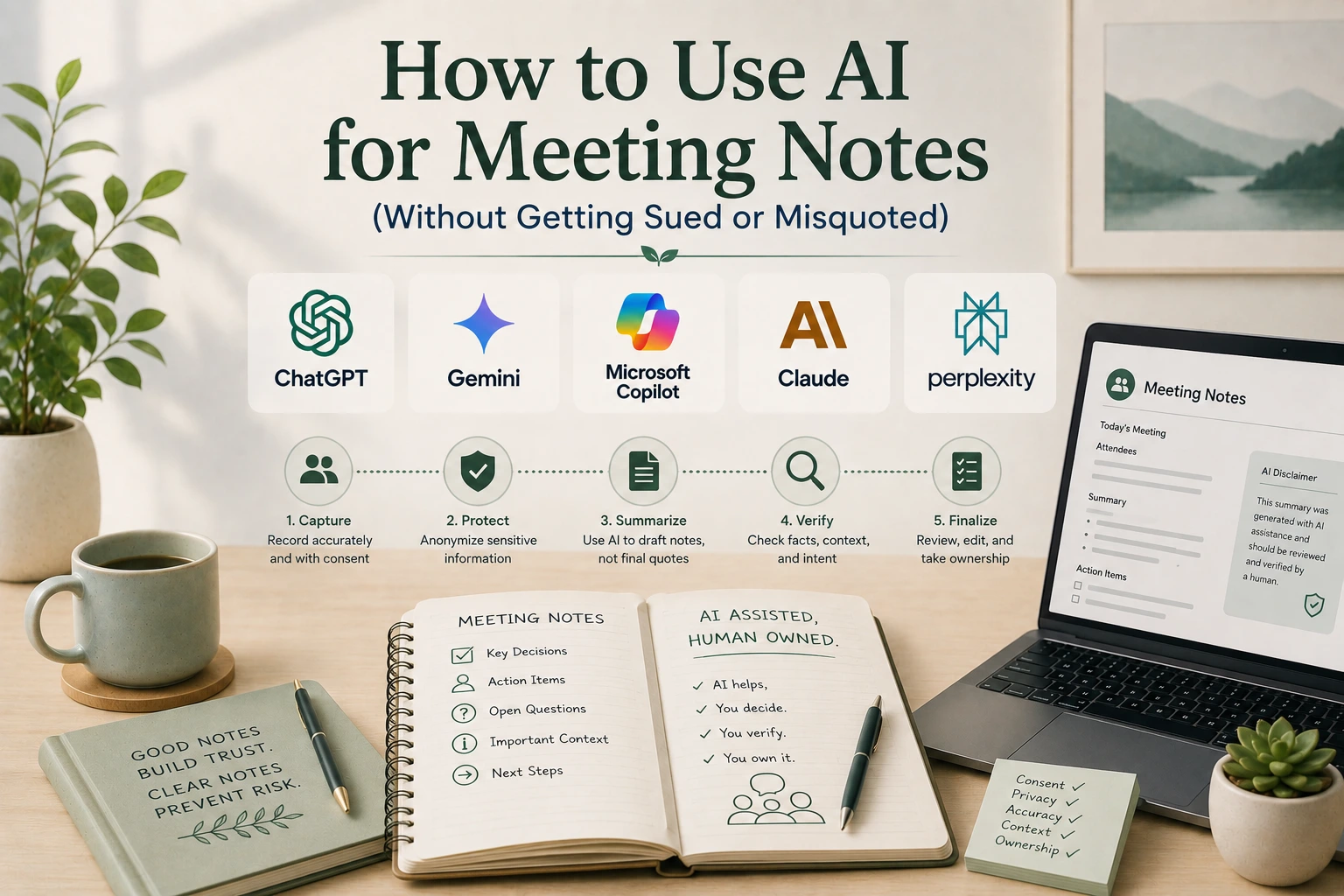
How to Use AI for Meeting Notes (Without Getting Sued or Misquoted)
Somewhere in the last two years, meetings quietly gained a new kind of attendee. It doesn’t speak, doesn’t take a seat, and shows up in the participant list with a name like “Otter Notetaker” or “Fireflies.ai” — silently transcribing everything said, then handing out a tidy summary with action items ten minutes after everyone logs off(how to use AI for meeting notes). It feels like a small, obviously good convenience. It’s also become the subject of a genuinely significant legal fight, and understanding why is the first step toward using these tools without walking into a problem you didn’t see coming.
What AI Actually Does Well Here
Start with the real upside, because it’s substantial. AI notetakers solve a problem that’s plagued meetings forever: the person taking notes can’t fully participate, and the person participating rarely takes good notes. Automating the transcription frees everyone to actually be present in the conversation, and a well-organized AI summary — key points, decisions made, action items with owners attached — is genuinely more useful than most human-written meeting notes, which tend to be inconsistent depending on who’s stuck writing them that week. Searchable transcripts also solve the “wait, what did we agree on three meetings ago” problem in a way that scattered notes documents never quite manage.
That’s the legitimate case for these tools, and it’s a strong one. The complications start with what has to happen before the bot ever starts listening.
The Legal Problem Nobody Reads the Fine Print On
In August 2025, a consumer filed a federal class action against Otter.ai, one of the most widely used AI notetaking services, and the case has since grown into a consolidated action that the industry is watching closely. NPR reported that the lawsuit accuses Otter.ai of deceptively and secretly recording private conversations, alleging that the company’s notetaking bot by default does not ask meeting attendees for permission to record and fails to alert participants that their conversations are being shared with Otter to help train its AI systems. The plaintiff said he only discovered the recording after the fact, during what he’d believed was a confidential conversation.
The legal theory behind the case comes down to a distinction that trips up a lot of ordinary meeting hosts: getting permission from the person who scheduled the meeting isn’t the same as getting permission from everyone in it, and several states require exactly the latter. A Congressional Research Service report on the Electronic Communications Privacy Act explains that federal law makes it a crime to wiretap or otherwise intercept communications without court approval, unless one of the parties to the conversation has given consent — a one-party consent standard — while many states impose a stricter all-party consent requirement, meaning every person in the conversation must agree before it can be recorded. California, where the Otter.ai suit was filed, is one of the states with that stricter standard, and legal analysts tracking the case have specifically flagged that an AI notetaker defaulting to host-only consent is a real liability in exactly those states.
This isn’t a hypothetical, narrow risk confined to one company. Multiple AI notetaking vendors have faced similar suits since, and the underlying question — whether an AI bot that joins a call and records it counts as an unauthorized third-party listener under decades-old wiretap statutes — is still being actively litigated. Until that question is settled, the safest working assumption is that all-party consent is required, and that host approval alone doesn’t clear that bar.
What This Means in Practice
The fix here is genuinely simple, even if it’s easy to skip in the moment: before an AI notetaker joins any meeting, say so out loud or in the invite, and give attendees a real chance to object, not just a passive notification banner buried in a settings menu. This matters more, not less, for meetings involving people outside your own organization, since they have no visibility into your company’s tools and haven’t implicitly agreed to anything by accepting a calendar invite. If a meeting touches anything genuinely sensitive — a negotiation, an HR conversation, legal strategy, anything someone might reasonably expect to stay private — that’s the moment to turn the AI notetaker off entirely rather than relying on a generic consent notice to cover you.
The Accuracy Problem Compounds the Legal One
Recording and transcription accuracy is one layer of risk. What the AI does with that transcript afterward is another, separate one, and it’s easy to overlook because the output looks so clean. AI-generated meeting summaries are produced the same way any other generative AI output is produced — by predicting plausible text based on the transcript, not by mechanically reproducing only what was verifiably said. That means a summary can misattribute a comment to the wrong speaker, soften or overstate what someone actually committed to, or smooth over a disagreement into something that reads as consensus when it wasn’t. As we’ve covered in our explainer on how AI hallucinations happen, this isn’t a rare glitch — it’s a structural feature of how these systems generate language, and meeting summaries are a particularly consequential place for it to show up, since they frequently become the record people rely on for who agreed to what.
The practical habit that follows: treat an AI-generated meeting summary as a first draft to skim and correct, especially the action items and any specific commitments, before it gets circulated as the official record. A five-minute read-through catches most of the damage a wrong attribution or an invented decision could otherwise cause.
Where the Content Actually Goes
There’s a third layer worth understanding, tied directly to the Otter.ai case: many AI notetaking tools use recorded conversations, at least by default in some configurations, to help train and improve their underlying models. That means a confidential business discussion, client conversation, or internal strategy session doesn’t necessarily stay contained to the people who were on the call — depending on the tool’s settings and terms of service, it may become part of a much larger dataset. This connects directly to a broader point worth internalizing about AI tools generally: our guide to what data you should never give AI covers this in more depth, but the meeting-specific version of the advice is straightforward — check what a notetaking tool’s terms actually say about data retention and model training before you let it listen to anything you wouldn’t want repurposed elsewhere, and look specifically for a setting that opts your recordings out of training data if that matters to you.
A Practical Checklist Before You Hit Record
Pulling this together into something usable:
Get real consent, not just host approval. Announce the AI notetaker verbally or in the calendar invite, and give attendees, especially external ones, a genuine chance to opt out before the meeting starts.
Check your state’s consent law if you’re unsure. All-party consent states require a meaningfully different standard than one-party consent states, and defaulting to the stricter standard is the safer general practice regardless of where you’re located.
Turn it off for genuinely sensitive conversations. Negotiations, HR matters, and legal discussions are worth the manual note-taking effort instead.
Review the summary before it becomes the official record. Check action items and any quoted commitments specifically, since those are the details most likely to cause real problems if the AI got them wrong.
Know where the recording goes. Check whether the tool trains on your conversations by default, and adjust the setting if you’d rather it didn’t.
Why “The Host Said It Was Fine” Doesn’t Settle It
It’s worth dwelling on this point a bit longer, because it’s the single most common mistake in how these tools actually get deployed. Most AI notetaking platforms are designed around a single consenting account holder — the person who signed up, connected their calendar, and enabled the bot for their meetings. That design makes the process frictionless for the host, but it quietly shifts the legal question onto everyone else in the room, who typically never explicitly agreed to anything beyond accepting a calendar invite that didn’t mention a recording bot at all.
This is exactly the gap the Otter.ai litigation targets, and it’s not a technicality — it reflects a real mismatch between how the software is built and what consent laws in many states actually require. A join notification that says “Otter Notetaker has joined the meeting” after the bot is already listening is a very different thing, legally and practically, from asking attendees in advance whether they’re comfortable being recorded and giving them a real opportunity to say no. If you’re the one enabling the tool, the responsibility for closing that gap sits with you, not with the vendor’s default settings.
Internal Meetings Aren’t Automatically Safer
There’s a tempting assumption that all-party consent concerns mostly apply to external calls — client meetings, vendor negotiations, anything involving people outside your organization. That assumption doesn’t hold up as well as it seems to. Internal meetings routinely include candid disagreement, informal commentary about other people or projects, and half-formed ideas that nobody intends to become a permanent, searchable record. An AI notetaker doesn’t distinguish between the parts of a meeting meant to be preserved and the parts that were just people thinking out loud, and a colleague who would have spoken more freely without a transcript running has lost something real, even if no law was technically broken. Extending the same announce-and-allow-objection habit to internal meetings, not just external ones, protects against a softer but still meaningful cost: people quietly self-censoring in meetings because they’ve stopped trusting that the conversation actually ends when the call does.
The Underlying Shift This Reflects
What’s actually happening here is bigger than any single lawsuit or vendor’s settings menu. AI notetakers have quietly changed what “just a meeting” means — a conversation that used to disappear the moment everyone logged off now often persists as a searchable, shareable, potentially model-training transcript by default, and most participants haven’t caught up to that shift yet. Being the person in the room who does catch up — who asks before enabling the bot, who reads the summary before forwarding it — isn’t excessive caution. It’s just treating a meeting recording the way anyone would want their own conversations treated, regardless of which company built the tool doing the recording.
Frequently Asked Questions
Is it legal to use an AI notetaker to record a meeting?
It depends on your state. Federal law generally requires only one party to consent to a recording, but many states require all-party consent, meaning every participant must agree before the meeting can be recorded. Getting approval from the person who scheduled the meeting isn’t the same as getting consent from every attendee.
What is the Otter.ai lawsuit about?
A federal class action filed in 2025 alleges that Otter.ai’s notetaking bot recorded private conversations without properly notifying or obtaining consent from all meeting participants, and used those recordings to help train its AI systems. The case is a test of whether AI meeting bots count as unauthorized third-party listeners under existing wiretap laws, and similar suits have since been filed against other AI notetaking vendors.
Can I trust AI-generated meeting summaries to be accurate?
Not without reviewing them first. AI summaries are generated by predicting plausible text from the transcript rather than mechanically reproducing only verified statements, which means they can misattribute comments or overstate what someone actually committed to. Reviewing action items and specific commitments before circulating the summary catches most of these errors.
Should I use an AI notetaker for sensitive meetings?
Generally, no. For negotiations, HR conversations, legal discussions, or anything participants would reasonably expect to stay private, it’s safer to turn off AI notetaking tools and take notes manually, since a recording of that content could persist beyond the meeting and potentially be used in ways participants didn’t anticipate.
Do AI notetaking tools use my meetings to train their models?
Many do, at least by default in some configurations, which is part of what the Otter.ai litigation specifically alleges. Check a notetaking tool’s terms of service for its data retention and training policies, and look for a setting to opt your recordings out of training data if that matters for the conversations you’re recording.
What’s the simplest way to use AI meeting notes responsibly?
Announce the AI notetaker before the meeting starts so everyone has a real chance to object, honor an all-party consent standard when you’re unsure of your state’s law, review the summary for accuracy before treating it as the official record, and turn the tool off entirely for genuinely sensitive conversations.
Conclusions
AI notetakers genuinely solve a real problem, and the convenience is worth having — but the value only holds up if the consent, accuracy, and data-handling questions get answered before the bot joins the call, not after something’s already gone wrong. The Otter.ai litigation is a live example of exactly what happens when that order gets reversed.
The habits that protect you are small and specific: announce the tool, honor an all-party consent standard when in doubt, proofread the summary before it becomes anyone’s official record, and know what happens to the recording afterward. None of that erases the convenience. It just makes sure the convenience doesn’t quietly cost you something bigger later.