The Best Free Password Manager Isn’t the One With the Most Features. It’s the One With the Fewest Catches
“Free” is the most expensive word in software when the thing you’re storing is every login you own. Some free password managers are genuinely generous. Others are demos with a time bomb: a one-device limit, a ten-item cap, or sync that quietly requires a subscription the moment you try to use your phone and laptop together.
That matters because password managers only work when they’re used everywhere. A vault that lives on one device while your logins live on three is a vault you’ll stop using by week two, and you’ll drift back to reusing passwords. As we explained in why the password rules you grew up with were declared wrong, a unique password for every account is the single biggest upgrade most people can make.
So this guide skips the “top 10” padding. It covers what free plans actually include, the limits to check before you commit, a comparison of well-known options based on published reviews, and a simple way to choose. Search interest backs the need: “free password manager” alone draws roughly 12,100 searches a month in the US, according to keyword data we pulled this week.
What “Free” Usually Means in Password Managers
Free plans generally fall into three types.
Genuinely usable free tiers. These include unlimited passwords and sync across your devices, and hold back extras such as family sharing, advanced reporting or priority support.
Restricted free tiers. The core feature works, but with a catch that shapes how you can use it: one device only, a small cap on stored items, or a single device type (phone or computer, not both).
Built-in managers. Your browser, phone or operating system already includes a password manager at no extra cost. These are convenient and free, but tied to one company’s ecosystem.
Knowing which type you’re looking at is more useful than any star rating.
The Limits That Matter Most
Before you import a single password, check these five things.
Number of devices. Can you use it on your phone and your computer at the same time?
Sync. Does the vault stay up to date across devices without paying?
Item caps. Is there a ceiling on how many passwords, notes or passkeys you can store?
Passkey support. Passkeys are replacing passwords on major services, so storing them matters. Our guide to passkeys vs passwords explains why.
Sharing and emergency access. Free plans often lock these. If you manage logins for a family member, they may be the deciding factor.
How Well-Known Free Plans Compare
TechRepublic’s roundup of best free password managers documents the free-plan limits of several popular products. Here is what that review says, and note that plans change often, so confirm on each provider’s site before signing up.
| ManagerWhat the free plan includesKey catch | LastPass FreeUnlimited password storage, autofill, password generator, dark web monitoring; share credentials with one other personYou choose one category of device, computers or mobileRoboForm FreeUnlimited password storage, two-factor authentication, compromised-password monitoring, authenticatorLimited to a single deviceLogMeOnce FreeUnlimited passwords and autofill, unlimited device sync, secure sharing, basic two-factorEmergency Access is paid-onlyNordPass FreeUnlimited password and passkey storage, syncs across devices, autofill and autosaveOnly one active session at a time; sharing needs PremiumKeeper FreeTwo-factor authentication includedUp to 10 password or passkey records on one mobile device; sync and browser extension require a paid planEnpassUnlimited items on Windows, macOS and Linux desktop appsMobile free users limited to 25 active items |
|---|
The pattern is clear: the headline word “free” hides very different realities. Keeper’s free plan is closer to a trial. RoboForm’s single-device limit rules it out for most people. NordPass and LogMeOnce are more flexible, though NordPass’s single active session can be annoying if you switch between phone and laptop all day.
Options Not Covered in That Review
Three other free choices come up constantly, and I’m describing them from general knowledge rather than the review above, so verify current details yourself.
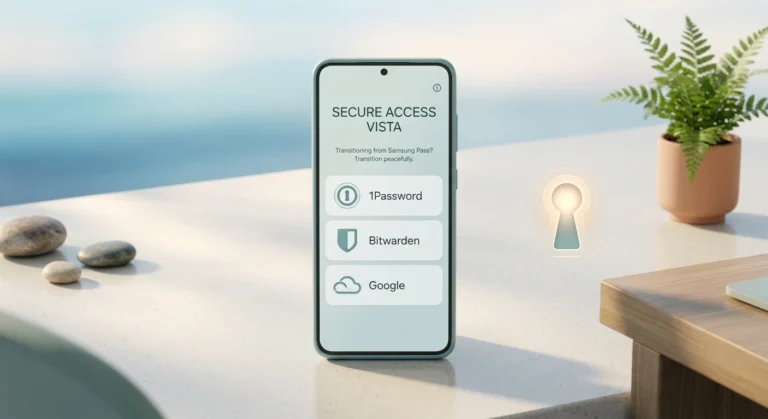
- Bitwarden is open source and widely recommended for its free tier, which supports use across multiple devices.Proton Pass is from the team behind Proton Mail and offers a free plan with end-to-end encryption.Built-in managers such as Google Password Manager, Apple Passwords or your browser’s own tool cost nothing and are already on your device. They work best if you stay inside one ecosystem.
If you want the least friction and use one phone and one browser, a built-in manager may be the best choice. If you move between Android, iPhone, Windows and Mac, a cross-platform manager makes more sense.
How to Choose in Five Minutes
Use this short decision path.
- List your devices. Phone, laptop, tablet, work computer. If you use more than one, rule out any free plan that limits you to one device or one device type.Decide on ecosystem. All Apple, or all Google? A built-in manager may be enough. Mixed devices? Choose a cross-platform one.Count your logins. If you have more than a couple of dozen, avoid any plan with an item cap.Check passkey support if you plan to adopt passkeys over the next year.Test export. Make sure you can export your vault in a standard format, so you’re never trapped.
Red Flags to Watch For
Free doesn’t mean careless, but a few warning signs are worth a second look. Be wary of any manager that can reset your master password for you without a recovery key, since that usually means the company can read your vault. Avoid tools with no way to export your data, because that makes switching later painful. Treat unknown apps with few reviews and vague privacy policies with suspicion, especially on Android and in browser extension stores, where lookalikes exist. And be cautious of any provider that can’t say clearly how it makes money: if the product is free and the business model is unclear, ask why.
It also helps to check how recently the app was updated and whether the company publishes security information or independent audits. A manager that has been maintained for years, with a clear support page and a public track record, is a safer bet than a new app with a slick landing page.
Is a Free Password Manager Safe Enough?
For most people, yes, provided the manager uses end-to-end encryption and you protect it properly. The security of your vault depends far more on your master password and two-factor setup than on whether you pay.
Three habits matter most:
- Use a long, unique master password you’ve never used anywhere else, and keep a written copy somewhere physically safe.Turn on two-factor authentication for the manager itself, using an authenticator app or security key rather than SMS.Keep your devices updated, because a manager can’t protect you from malware on a compromised phone or computer.
Paid plans add convenience, such as family sharing, emergency access and monitoring, but they aren’t a requirement for sound security. A paid manager with a weak master password is less secure than a free one with a strong one.
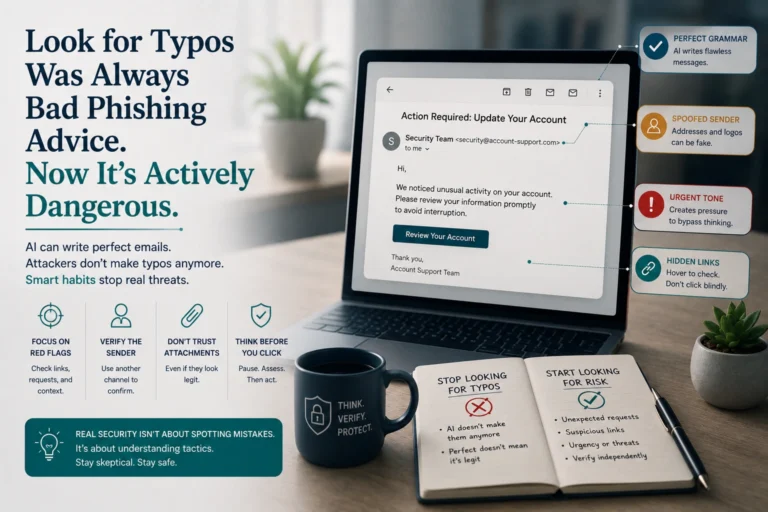
A manager also helps against scams. Because it only fills credentials on the exact site it saved them for, a mismatch is a quiet warning. That’s a useful backstop when AI-written phishing looks flawless.
Moving Your Passwords Without Locking Yourself Out
Don’t switch in a hurry. Create the new vault, set a strong master password and two-factor protection, then import from your browser or old manager. Test autofill on your five most important sites. Update weak or reused passwords on email, banking and shopping accounts first, since those are the ones that reset everything else. Only when everything works should you delete saved logins from the old tool.
Frequently Asked Questions
What is the best free password manager?
There isn’t one winner. Pick based on your devices: a built-in manager if you stay in one ecosystem, or a cross-platform option with free sync, such as Bitwarden or NordPass, if you use mixed devices. Check each plan’s device and item limits first.
Are free password managers safe?
Reputable ones use end-to-end encryption, so safety depends mostly on your master password and two-factor setup. A free manager with a strong master password beats a paid one with a weak one.
What’s the catch with free password managers?
Common catches are one-device limits, caps on stored items, no sync, and locked sharing or emergency access. For example, TechRepublic’s review notes Keeper Free supports up to 10 records on one mobile device, and RoboForm Free is limited to a single device.
Is the password manager built into my browser good enough?
For many people it’s a big improvement over reusing passwords. It’s most convenient if you stay in one browser or ecosystem. If you switch between platforms, or want features such as secure sharing, a dedicated cross-platform manager is usually smoother.
Can I store passkeys in a free password manager?
Some can. TechRepublic’s review lists unlimited passkey storage on NordPass Free, while Keeper Free counts passkeys inside its 10-record limit. Support varies by provider and changes quickly, so confirm before you commit.
Should I pay for a password manager?
Only if you need what the paid tier adds, such as family sharing, emergency access or extra monitoring. For personal use on a couple of devices, a good free plan often covers the essentials.
Conclusion
The best free password manager is the one that works on all the devices you use, has no item cap you’ll hit, and lets you leave with your data. Published reviews show how different free plans really are, from generous cross-device tiers to single-device trials, so read the limits, not the marketing.
Pick one this week, protect it with a long master password and two-factor authentication, and move your most important accounts first. A good-enough manager you use every day will protect you far better than a perfect one you never open.